

What you can do
- Choose how people accept - A clickwrap is either Click to Accept or Scroll and Accept, where the reader scrolls to the end of the agreement before accepting.
- Keep every version - Edit a draft, preview it, and publish it. One version is active at a time, and earlier versions stay in the agreement’s history and audit log.
- See who accepted what - Each event records the person, the agreement, the version, whether they viewed or accepted it, the time, and the IP address. You can filter the list and export it.
- Check acceptance before access - By default, your product checks whether someone has accepted the active version, and asks them to accept it if not. Your product can also ask whether the person accepted any version of the agreement, including earlier ones, when a new version doesn’t require everyone to accept again.
- Personalize the text - Add variables such as
{{company_name}}or{{plan}}to the agreement from the editor: turn on Edit and click Insert variable in the toolbar. Your product fills them in when it shows the agreement, and each acceptance records exactly what the person saw. See template variables. - Keep the accepted copy - Download the acceptance PDF for any accepted event.
- Ask for acceptance from a flow - When an agreement only needs to be accepted, not signed, a flow’s Sign step can send a clickwrap to recipients by email instead of collecting signatures, and fill the agreement’s variables from the flow. Available on request. See Request acceptance with Clickwrap.
- React to acceptances - Chamelio can notify your systems the moment an agreement is accepted.
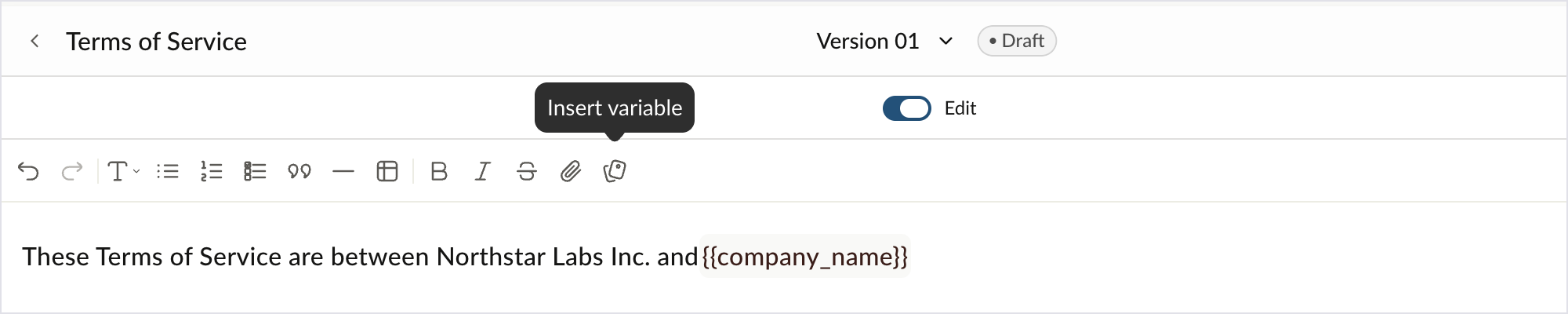
Insert variable adds a placeholder that your product fills in
How it works
Each clickwrap has a name and a short ID that your product uses to request it. Your developers embed it with Chamelio’s JavaScript or React SDK and a public API key that only works from the web addresses you allow. The SDK handles the logic, and your developers control how the agreement looks to your users. For a step-by-step setup with the code to paste, see Embed a clickwrap in your website or app. When you publish a new version, it becomes the active one, so your product can ask people who accepted an earlier version to accept again. Clickwrap is turned on per organization. In Chamelio, Admins and Editors manage it.What makes a click hold up
A checkbox and a link to your terms aren’t evidence on their own. When there’s a dispute, a customer’s security review or a regulator’s request, you need to show which version someone accepted, what the screen said, when, and from where. Courts look for two things: the person got reasonably conspicuous notice of the terms, and they took an action that clearly meant they agreed. After the fact, you have to be able to show both. A defensible click has five parts:
Most homegrown clickwraps cover only the first two. Terms hard-coded in the app wait for an engineering release, an
accepted = true flag doesn’t say which text was accepted, and overwriting the terms page loses what earlier users saw. With Clickwrap, your legal team owns the text and its versions, and every acceptance stays attached to the wording the person actually saw.
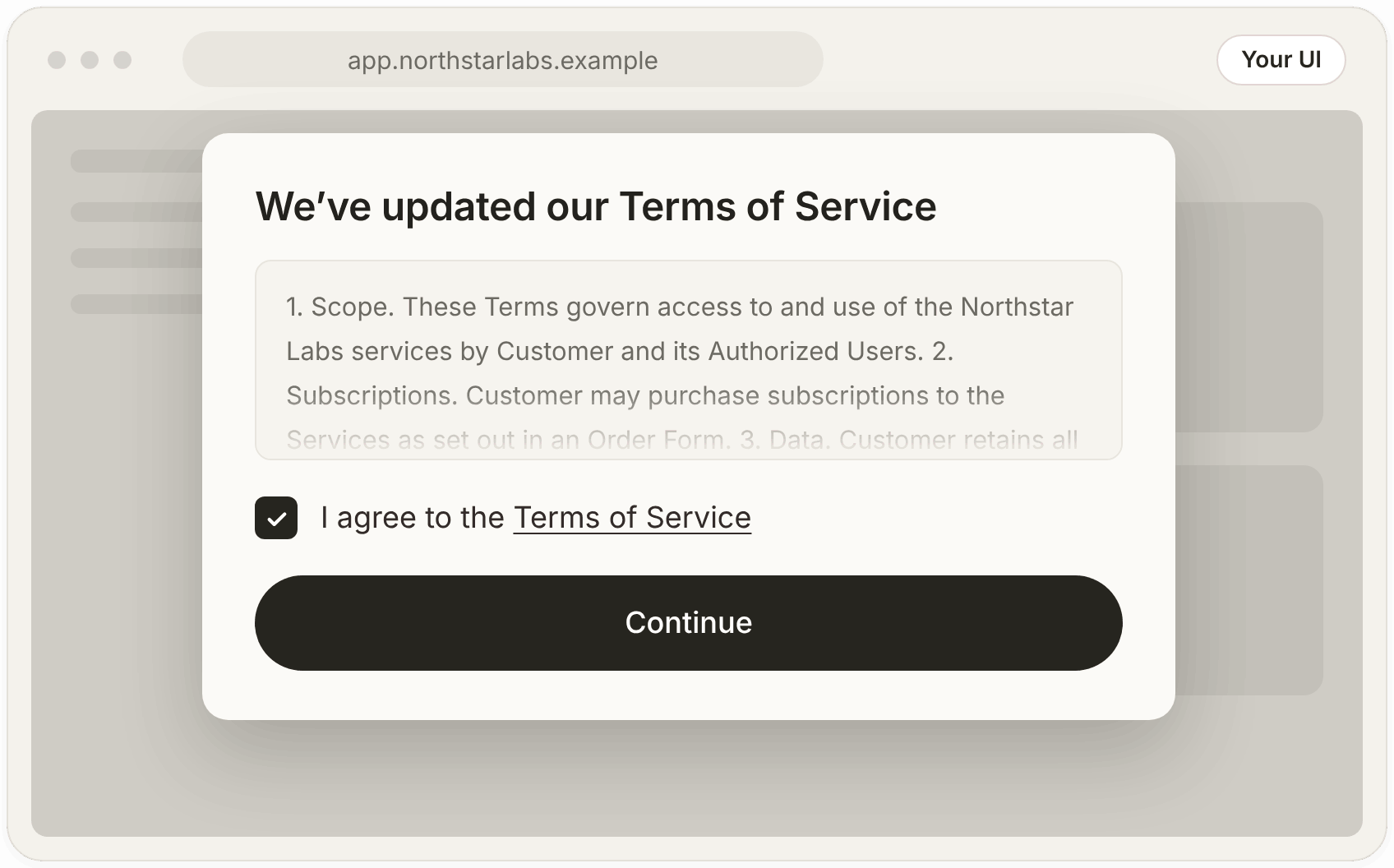
Illustration: your product shows the agreement in its own design. The terms are on screen and the checkbox says what clicking means.
Works with
Your product connects to Clickwrap through the Chamelio API, which serves agreements, records acceptances, and looks up acceptance history, and through a webhook that announces each acceptance. Inside Chamelio, it works with the Sign step in Flows, next to Chamelio Sign for documents that need a signature. To publish your legal documents for visitors to read and download, see Legal Hub.See it in action
- NDAs end to end - for very high volume, Clickwrap records click-through acceptance instead of a signature.
For Chamelio customers
Log in with your Chamelio account to open these guides.Clickwrap API
The API reference: serve agreements, check acceptance, and record events.
Sign step guide
The full guide, including requesting acceptance with Clickwrap.